Skip to content

A real Reelyze report. Another creator’s video. Start a 3-day trial for your own analysis and scripts. Card required.

Start your 3-day trial
ReelyzeReelyze
Sample report · another creator’s video

A real video review.

AI analysis

Edit checklist

0/3 done

Try the checklist for this sample video.

Get an edit plan for your own video

Sign up to analyze your video and get your own checklist.

Get my own report
Source video frameinstagram · 0:31
The verdict

This video is structurally strong and very likely to perform well — the proof-first format, self-incriminating specificity, and emotional escalation arc are all above-average execution — but the 8-second static dashboard at 00:05 and split CTA at 00:25 are leaving meaningful retention and conversion on the table.

Start here8-Second Static Dashboard
0:31Duration9Scenes3.5sAvg shot
8/10Hook assessmentAI diagnosis
About this videoinstagram

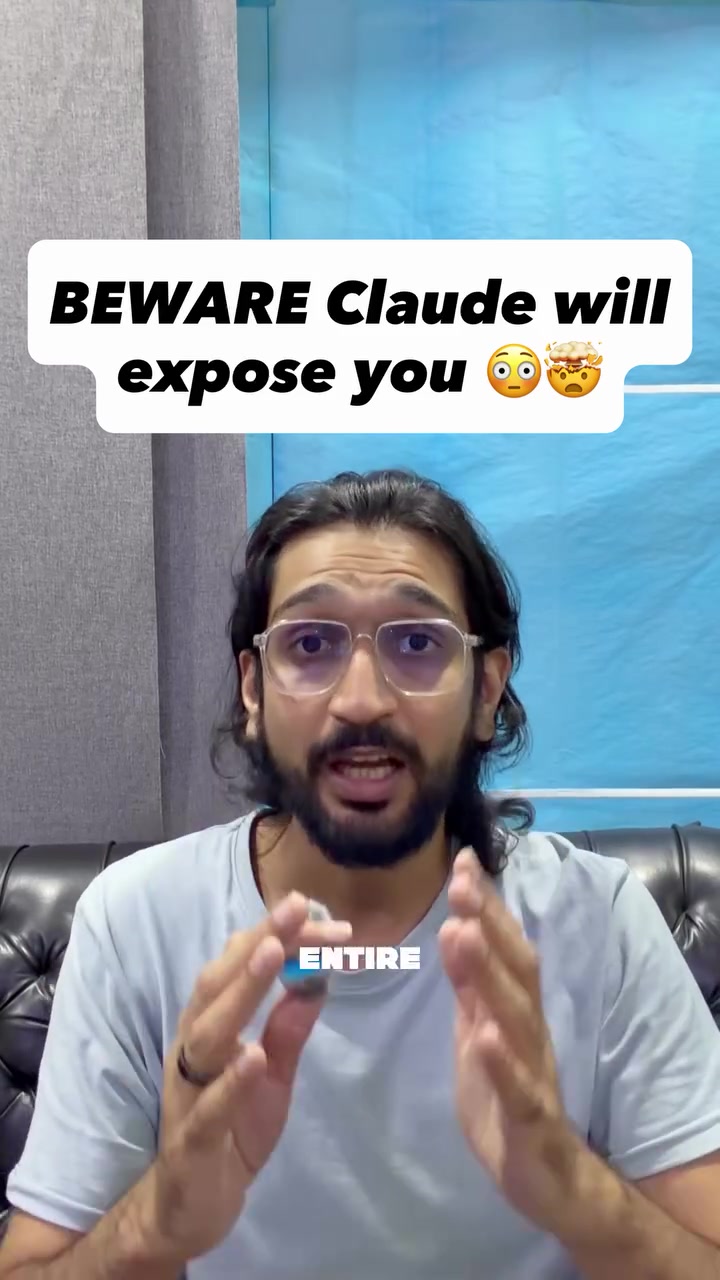
Claude AI can now expose your entire month 😳 I tried this new AI prompt and it caught things about me I never even noticed.

Open original video

AI predictions, not measured audience retention.

AI scene scores

Scene-level signals
9/10
Opening scene signal
Opening scene (0:00-0:02)
8/10
Scene signal average
Derived from AI scene ratings
9/10
Signal composite
Derived from opening + scene average

Derived from scene labels, not measured audience retention or the diagnosis scores. Positive scene scores can coexist with the pacing risks below.

Edit priorities

The changes to make first.

Start with 01
  1. Source frame at 0:05Source frame · 0:0501PACING
    00:05–00:12

    8-Second Static Dashboard

    Before

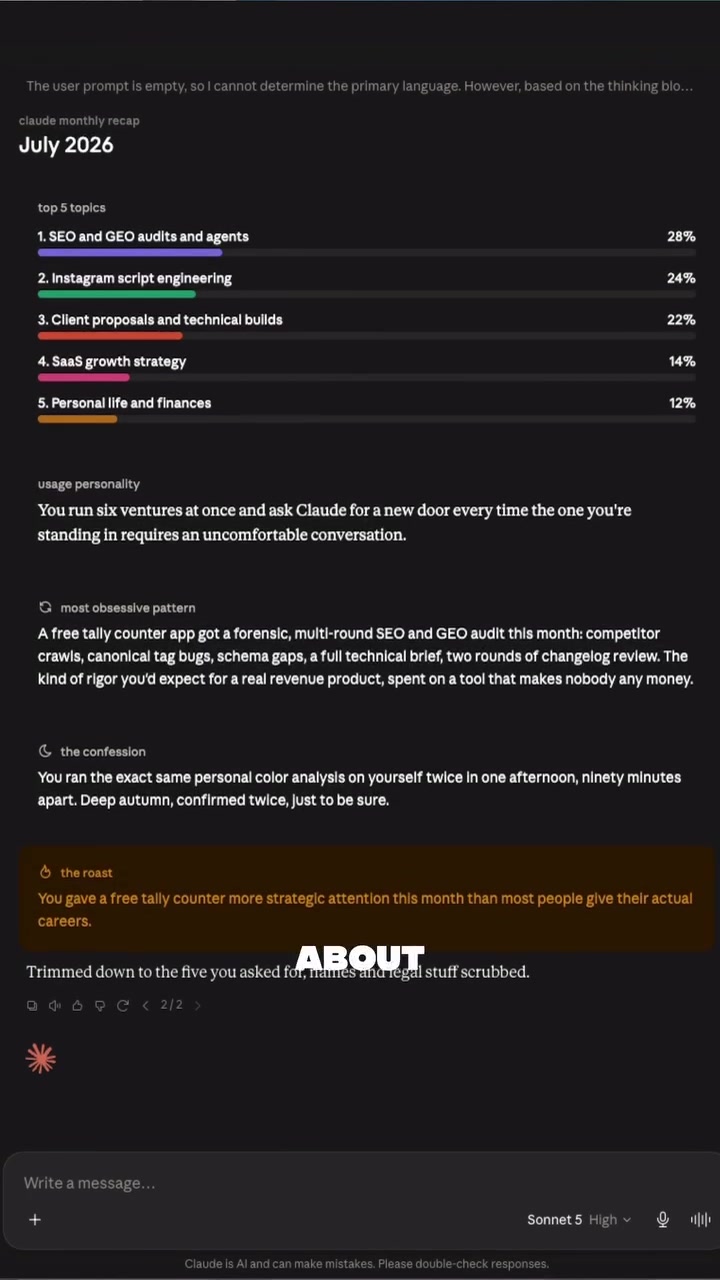
    A near-motionless screen with dense text runs for 8.16 seconds — the longest…

    Recommended edit

    Cut Scene 4 to 3–4 seconds, animate the bar chart percentages counting up sequentially (one topic appearing every 0.5s), and return to the talking head by 00:08. Alternatively, use a PIP (picture-in-picture) layout keeping the presenter visible alongside the dashboard.

    Full edit & why

    Report finding

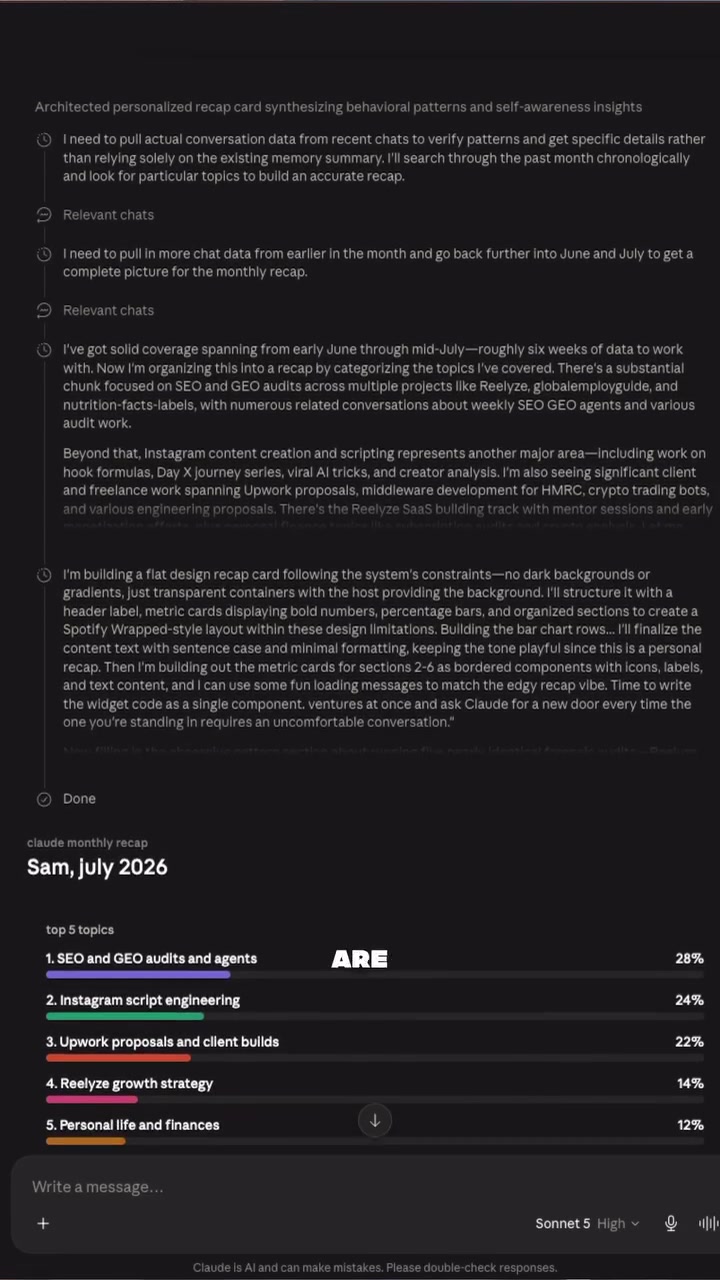
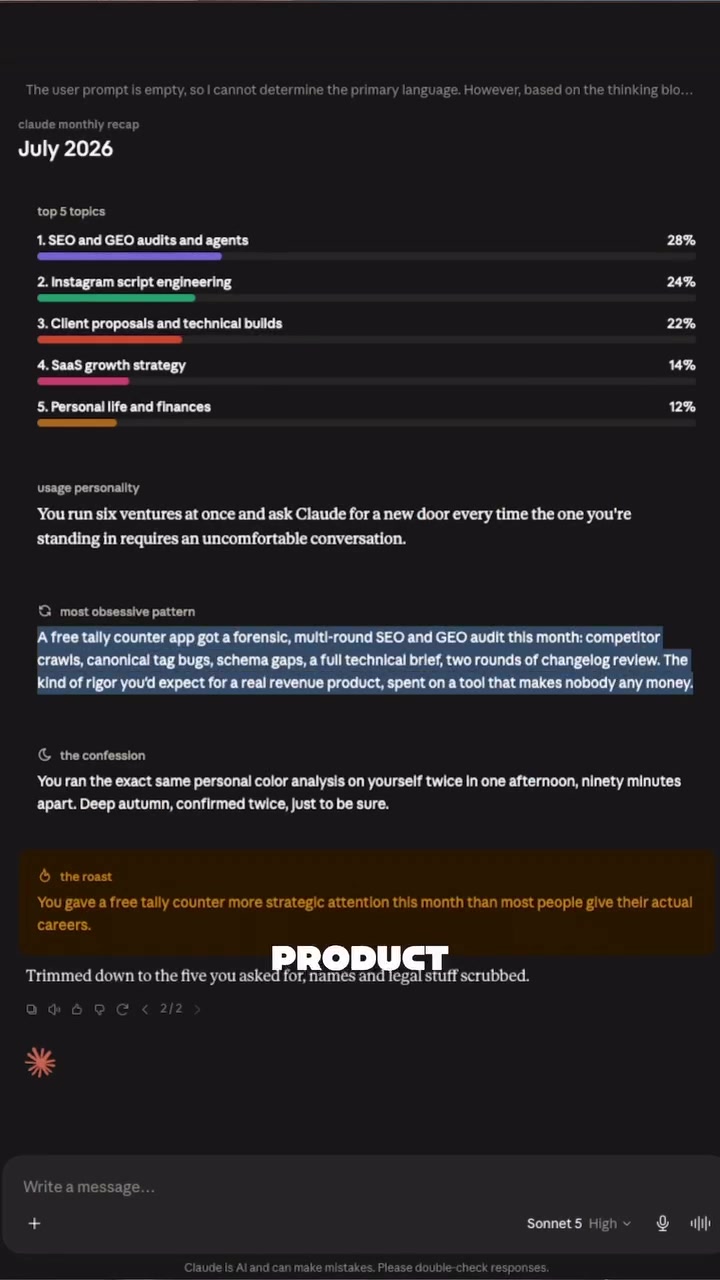
    A near-motionless screen with dense text runs for 8.16 seconds — the longest shot in the video — while the speaker is off-screen and audio is moving at 254 WPM. Viewers who cannot read and listen simultaneously at this speed have nothing to anchor to visually, and the absence of a face removes the parasocial engagement that is driving retention in every other scene.

    Suggested edit

    Cut Scene 4 to 3–4 seconds, animate the bar chart percentages counting up sequentially (one topic appearing every 0.5s), and return to the talking head by 00:08. Alternatively, use a PIP (picture-in-picture) layout keeping the presenter visible alongside the dashboard.

    Priority 1 in the detailed diagnosis. AI suggestion.
  2. Audio edit
    02AUDIO
    Whole video / export

    Clipping Audio (True Peak 0.3 dBTP)

    Before

    The true peak of 0.3 dBTP exceeds the safe ceiling for platform delivery.…

    Recommended edit

    Apply a true peak limiter set to -1.0 dBTP on the exported audio track before uploading.

    Full edit & why

    Report finding

    The true peak of 0.3 dBTP exceeds the safe ceiling for platform delivery. Instagram re-encodes audio on upload and a hot true peak will introduce distortion artifacts that degrade perceived audio quality — particularly damaging on mobile speakers where clipping is most audible.

    Suggested edit

    Apply a true peak limiter set to -1.0 dBTP on the exported audio track before uploading.

    Priority 2 in the detailed diagnosis. AI suggestion.
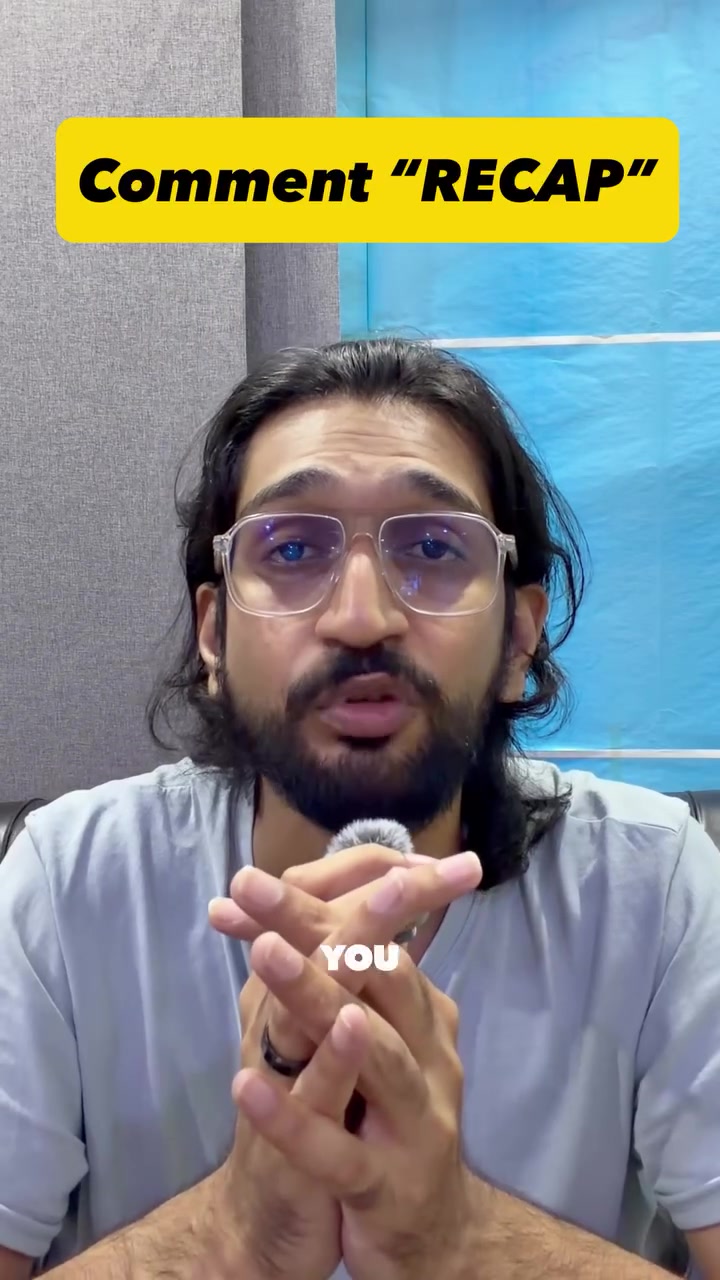
  3. Source frame at 0:23Source frame · 0:2303CTA
    00:25–00:31

    Split CTA Dilutes Conversion

    Before

    Asking viewers to both share to a friend and comment "RECAP" in the…

    Recommended edit

    Lead with the comment CTA ("comment RECAP and I'll send you the exact prompt") and move the share ask to on-screen text only at the end frame, so the two mechanics are spatially separated rather than stacked verbally.

    Full edit & why

    Report finding

    Asking viewers to both share to a friend and comment "RECAP" in the same 6-second window creates two competing actions. In short-form content, viewers default to one action or zero when asked for two simultaneously, and neither the share nor the comment CTA has enough dedicated screen time to register.

    Suggested edit

    Lead with the comment CTA ("comment RECAP and I'll send you the exact prompt") and move the share ask to on-screen text only at the end frame, so the two mechanics are spatially separated rather than stacked verbally.

    Priority 3 in the detailed diagnosis. AI suggestion.

Alternative hooks

3 openings

Example rewrites for this sample video. Illustrative suggestions, separate from the stored analysis.

Measured from the source

Sound & delivery

Integrated loudness-14.3 LUFSsocial target -16 to -13 LUFS
True peak0.3 dBTPkeep below -1 dBTP to avoid clipping
Loudness range (LRA)4.0
Speech rate254 WPM

Production flags:

  • True peak 0.3 dBTP exceeds -1 dBTP — clipping risk; add a limiter.
  • Fast delivery (254 WPM) — may feel rushed for some viewers.
The creative review

What works. What needs attention.

Full AI diagnosis
01

Hook Analysis (First 3 Seconds)

8/10
AI assessment
  • Hook type: Personal confession + threat/exposure framing ("I tried it and it caught things about me I never noticed") combined with a specific outcome promise ("Claude will expose your entire month")
  • Hook strength: 8/10 — The combination of the "BEWARE" overlay, animated urgent delivery, direct eye contact, and the "expose you" framing is genuinely strong. The claim is specific enough to feel credible (a monthly recap, not vague AI magic) and personal enough to trigger curiosity about one's own data. The slight deduction comes from the transcription artifact ("expose your entire man" vs. "month") suggesting the audio may be slightly unclear on first listen, and the payoff dashboard visual doesn't fully appear until ~2 seconds, leaving a brief gap where sound-off viewers are relying solely on the "BEWARE" text.
  • Specific issues:
    • The dashboard proof (Scene 2) arrives at 00:02, but the audio hook finishes at ~00:04 — sound-off viewers who need the visual confirmation to stay could be a half-second ahead of where the data appears.
    • Speech rate at 254 WPM means the hook sentence is delivered very fast; a viewer catching this mid-scroll may not parse "expose your entire month" cleanly before the next scene begins.

02

Pacing Analysis

  • Overall assessment: The video runs 8 true shot cuts and 9 total edit events across 31.4 seconds — 2.5 cuts per 10 seconds and 2.9 edit events per 10 seconds. On paper this is medium pacing, but the variance in shot length creates meaningful rhythm: Scene 4 runs 8.16 seconds (the longest single shot, a near-static dashboard scroll) while Scene 8 runs under 1 second. The overlay text events (NOTICED, RUNNING FORENSIC, PRODUCT, IMAGINE) function as visual punctuation that accelerates perceived pace between actual cuts, so the video feels faster than raw cut-count suggests. The primary pacing risk is the 8.16-second Scene 4 (00:05–00:12), which shows a largely static Claude interface — the longest shot in the video and the only stretch where no talking-head energy or visual movement anchors attention.
  • Slow zones:
    • 00:05–00:12 (Scene 4): An 8-second static dashboard view with dense on-screen text and the speaker absent from frame. This is the single highest drop-off risk window in the video — no face, no motion, complex text that requires reading, and the narrative has just started its explanation phase.
  • Strong rhythm sections:
    • 00:00–00:05 (Scenes 1–3): Fast hook-to-proof cut sequence with talking head, dashboard reveal, and return to talking head keeps energy high and mirrors the punchy claim-evidence-reaction structure of top-performing AI demo reels.
    • 00:19–00:25 (Scenes 7–8): The tight 3-second Scene 7 into the sub-1-second Scene 8 creates an acceleration that lands well under the "imagine what it knows about you" line, amplifying the conspiratorial emotional beat.

03

Audio-Visual Alignment

8/10
AI assessment
  • Strongest moments:
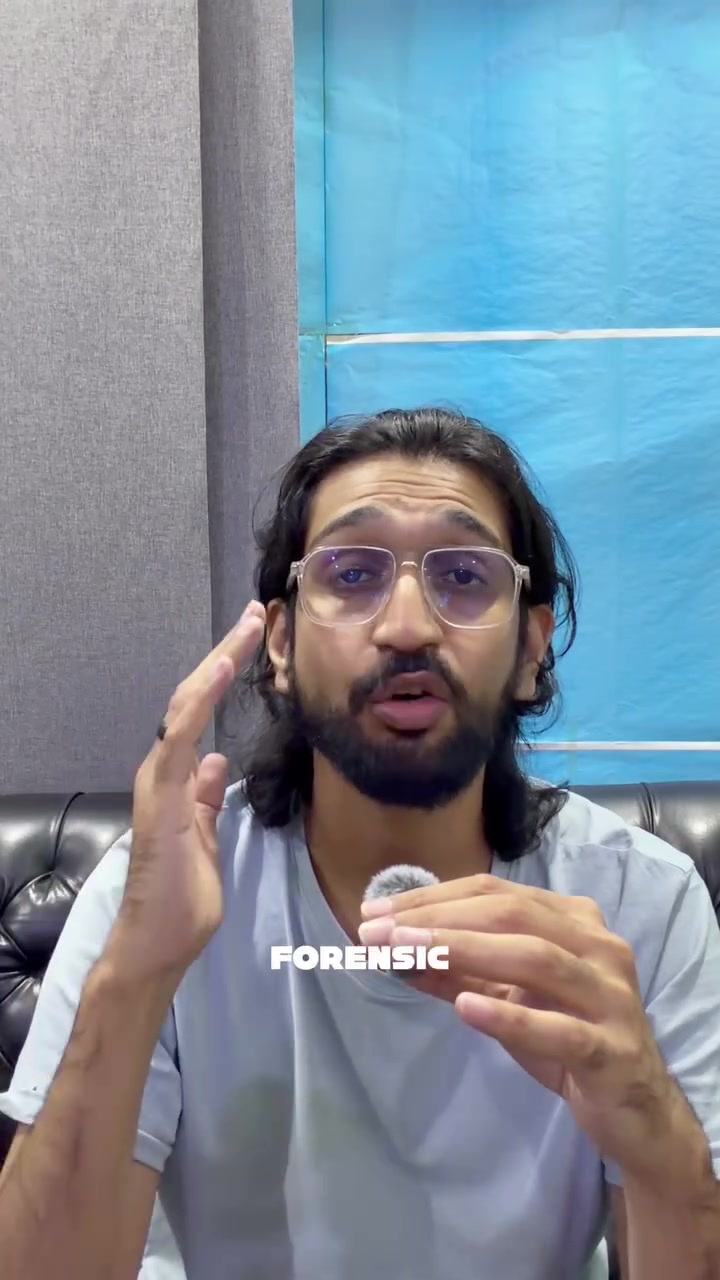
    • 00:00–00:02 (Scene 1): The "BEWARE Claude will expose you" overlay lands simultaneously with the speaker's animated, urgent hand gestures and direct eye contact. Body language, text, and audio claim are perfectly synchronized — all three channels say the same thing at the same moment.
    • 00:12–00:16 (Scenes 5–6): The "RUNNING FORENSIC" overlay and the dashboard showing the tally counter audit appear exactly as the speaker confesses to running a "full forensic audit on a free calculator app." The word "PRODUCT" appearing over the recap card at 00:15 functions as a visual punchline that lands on the audio punchline — strong comedic alignment.
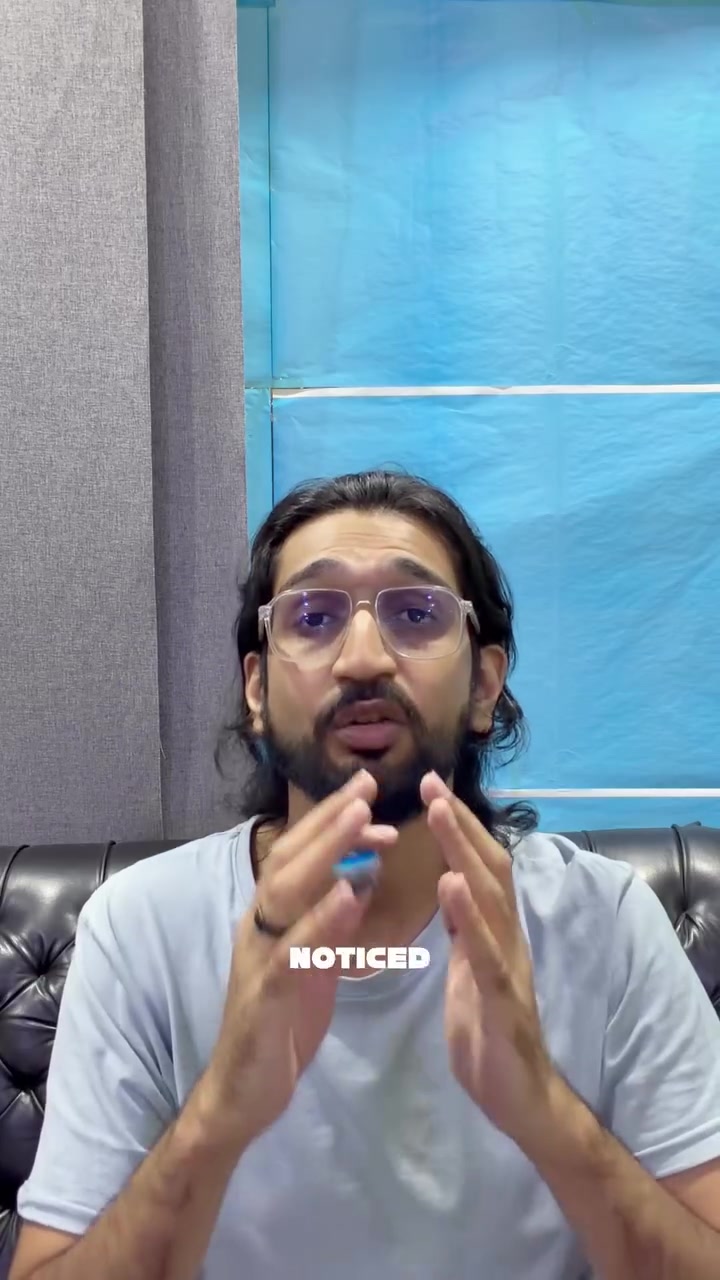
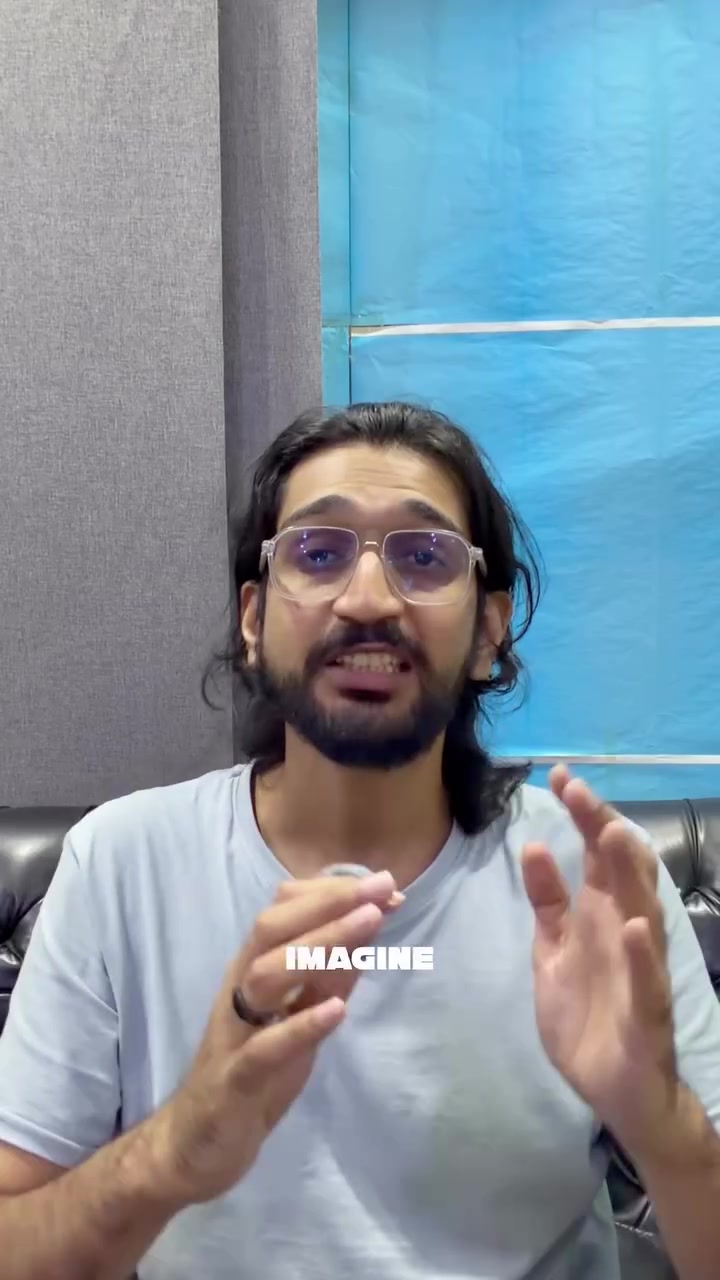
    • 00:22–00:23 (Scene 8): The "IMAGINE" overlay arrives with the speaker's wide-eyed, emphatic expression during "imagine what it knows about you" — reactive face, text, and audio beat are unified.
  • Weakest moments:
    • 00:05–00:12 (Scene 4): The static dashboard showing Sam's recap card runs for 8 seconds while the audio delivers narrative exposition. The visual requires active reading (dense text, percentages, bar charts) while the ear is processing speech at 254 WPM — the two channels compete rather than cooperate. Viewers cannot read and listen simultaneously at this pace.
    • 00:23–00:27 (Scene 9): The CTA audio ("send this to your friend who is not ready for their result") runs while the visual shows the presenter speaking without a visible friend-tag prompt or social-share graphic. The "YOU SEND" overlay is present but a more dynamic send/share graphic here would have given the share CTA its own visual moment.
  • Overall coherence: 8/10 — The video is architecturally well-aligned; the main talking-head footage is consistently expressive and in sync with audio tone. The one structural coherence gap is the 8-second static screen at Scene 4, where the parallel processing demand between dense on-screen text and fast speech creates a genuine comprehension conflict.

04

Audio Production

  • Loudness: -14.3 LUFS sits within the -16 to -13 LUFS social target — no adjustment needed here.
  • True peak: 0.3 dBTP exceeds the -1 dBTP ceiling, creating a clipping risk on platform re-encoding. Add a true peak limiter set to -1.0 dBTP before export; this will not audibly change the recording but will prevent distortion artifacts on Instagram's compression pipeline.
  • Speech rate: 254 WPM is measurably fast for a dense information delivery (AI claims, behavioral observations, specific percentages). The sections most at risk are 00:05–00:12 (dashboard explanation) and 00:17–00:23 (personality reveal), where the content is the most cognitively complex. A 10–15% pace reduction in those two windows — or a beat of silence inserted before the "scared me" moment — would give both the joke and the emotional reveal more room to land.
  • Loudness range (LRA) of 4.0 is very compressed, which is appropriate for voice-led short-form content and requires no change.

05

CTA Analysis

7/10
AI assessment
  • Placement: CTA begins at 00:25, with "Comment RECAP" on-screen text appearing at 00:28.
  • CTA strength: 7/10
  • Specific weaknesses:
    • The CTA is split across two separate mechanics — share to a friend ("send this to your friend") and comment for the prompt ("comment RECAP") — in under 6 seconds. This dilutes focus; viewers are asked to do two different things and may do neither.
    • The share CTA ("send this to your friend who is not ready for their result") is genuinely strong virality language, but it arrives first verbally and receives no dedicated visual treatment — no friend-tag prompt, no share-button graphic, no example of a friend "not ready." The comment CTA gets the on-screen text; the share CTA doesn't.
    • The prompt withholding mechanic ("comment RECAP and I will send you the exact prompt") is effective for comment-baiting but the payoff condition — "run it a few days" — creates friction before the reward.
  • Specific strengths:
    • The social proof angle ("send this to your friend who is not ready for their result") activates the viewer's imagination about a specific person in their life, which is one of the highest-performing share triggers in short-form content.
    • "Comment RECAP" is a clean, memorable, single-word trigger that reduces cognitive load on the comment CTA.
    • The challenge framing ("I challenge you") personalizes the ask and creates light competitive motivation, consistent with the video's "dare to look at yourself" theme.

Keep these strengths in your next cut

01

Self-Incriminating Specificity (00:12–00:17, Scenes 5–6)

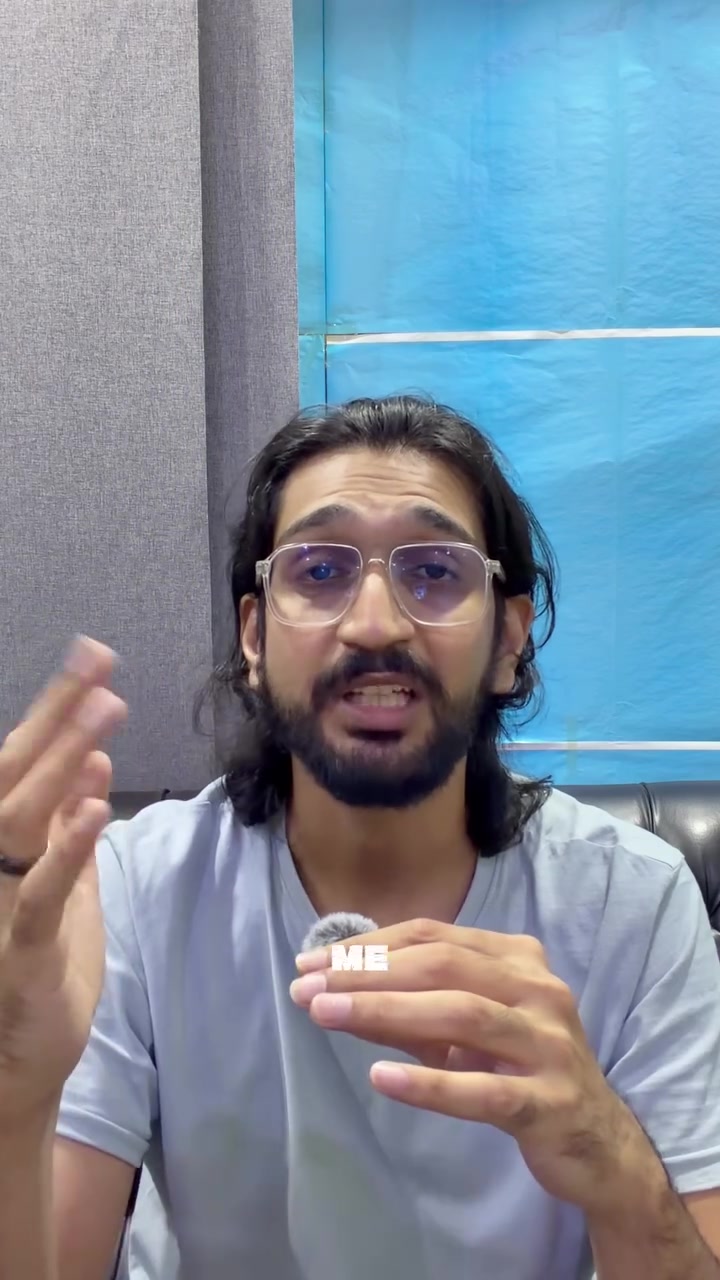
The forensic audit / free calculator app confession is the single strongest retention beat in the video. It is specific (not "I wasted time" but "I ran a full SEO audit on a free tally counter app like it was a million dollar product"), it is self-deprecating in a way that is immediately recognizable to any productivity-obsessed creator, and the "PRODUCT" text overlay lands the punchline visually. Specificity like this is what separates high-share AI content from generic "Claude is amazing" videos.

Build on it

In future videos, lead with the most embarrassing/specific thing the recap revealed rather than the capability claim — the confession is the hook, not the feature.

02

Proof-First Structure (00:02–00:04, Scene 2)

The recap dashboard appears within the first 2 seconds, before the explanation is even finished. This inverts the typical tutorial format (explain → show) and pre-empts skepticism by showing the real output immediately. The dashboard is visually credible (dark mode, percentage bars, specific topic names, real Anthropic disclaimer text visible) and reads as authentic rather than mocked-up.

Build on it

In future videos, put the most surprising single line from the recap ("You gave a free tally counter more strategic attention than most people give their careers") as an isolated text overlay in the first 1.5 seconds — before any explanation — to maximize curiosity before context.

03

Emotional Escalation Arc (00:17–00:23, Scenes 7–8)

The video builds from "useful tool" → "embarrassing pattern" → "it figured something out I never told it and it scared me" → "IMAGINE what it knows about you." This is a well-constructed fear/curiosity escalation that peaks at the exact right moment before the CTA. The Scene 8 close-up with wide eyes and the "IMAGINE" overlay is the video's most viscerally compelling visual moment.

Build on it

Add one more beat between "it figured it out" and "imagine what it knows about you" — a single static frame showing the specific personality line ("You run six ventures at once and ask Claude for a new door every time the one you're standing in requires an uncomfortable conversation") in large text with no talking head, letting the viewer sit with it for 1.5 seconds before the CTA.

Why these edits come first

18-Second Static Dashboard

A near-motionless screen with dense text runs for 8.16 seconds — the longest shot in the video — while the speaker is off-screen and audio is moving at 254 WPM. Viewers who cannot read and listen simultaneously at this speed have nothing to anchor to visually, and the absence of a face removes the parasocial engagement that is driving retention in every other scene.

Recommended edit

Cut Scene 4 to 3–4 seconds, animate the bar chart percentages counting up sequentially (one topic appearing every 0.5s), and return to the talking head by 00:08. Alternatively, use a PIP (picture-in-picture) layout keeping the presenter visible alongside the dashboard.

2Clipping Audio (True Peak 0.3 dBTP)

The true peak of 0.3 dBTP exceeds the safe ceiling for platform delivery. Instagram re-encodes audio on upload and a hot true peak will introduce distortion artifacts that degrade perceived audio quality — particularly damaging on mobile speakers where clipping is most audible.

Recommended edit

Apply a true peak limiter set to -1.0 dBTP on the exported audio track before uploading.

3Split CTA Dilutes Conversion

Asking viewers to both share to a friend and comment "RECAP" in the same 6-second window creates two competing actions. In short-form content, viewers default to one action or zero when asked for two simultaneously, and neither the share nor the comment CTA has enough dedicated screen time to register.

Recommended edit

Lead with the comment CTA ("comment RECAP and I'll send you the exact prompt") and move the share ask to on-screen text only at the end frame, so the two mechanics are spatially separated rather than stacked verbally.

Editing & pacing details

Shot changes (true cuts)

8

Edit events (incl. graphic transitions, flashes, overlay swaps)

9

Pacing

medium

Shot cuts per 10 seconds

2.5

Edit events per 10 seconds

2.9

Longest single shot

8.16 seconds

Shortest single shot

0.97 seconds

Original Quick WinsAdditional source recommendations

AUDIO

Add a true peak limiter set to -1.0 dBTP before exporting your next upload.

Your current 0.3 dBTP peak will cause distortion artifacts after Instagram's re-encoding, degrading audio quality on mobile speakers.

PACING

Cut Scene 4 (00:05–00:12) to 4 seconds maximum and animate the bar chart entries appearing sequentially.

An 8-second static screen with no face loses the parasocial engagement driving retention everywhere else in the video.

CTA

Remove the share ask from your spoken CTA at 00:25 and keep only "comment RECAP" verbally; move the share prompt to end-frame on-screen text only.

Two competing actions in 6 seconds split attention and reduce the likelihood viewers complete either one.

Ready for your own report?

Your video.
Your plan to improve.

You’re viewing another creator’s report. Sign up to analyze your own video, with a 3-day trial. Card required; cancel before it ends to avoid the subscription charge.

Start your 3-day trial For eligible first-time subscribers